Risa Tips & Tricks: How to Use Our Structural Analysis Software

April 22, 2026

RISA-3D to RISAConnection: Making the Link Work

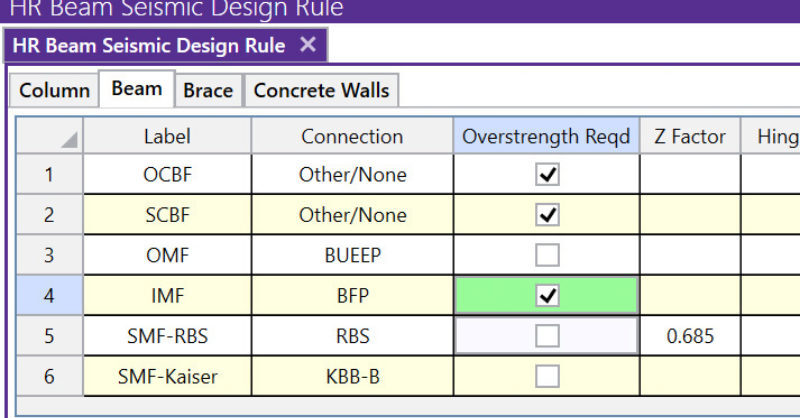
RISAConnection is designed to work directly with your RISAFloor and RISA-3D models, not as a separate “export‑and‑forget” tool. When the integration is set up correctly, RISAConnection can read your geometry, member sizes, connection rules, design method, and load combinations, then send connection results back into RISAFloor and RISA-3D for review. This article walks through how the integration behaves, what you can and cannot change in RISAConnection, and how to work with grouped connections efficiently. 1. What Actually Comes into RISAConnection When you integrate from RISAFloor or RISA-3D, RISAConnection creates a .rcn file with the same file name as your model in the same folder. You’ll see that the project is populated with all valid connections—only connection types that RISAConnection can design will be brought in. Data that is integrated: Geometry and member sizes Connection Rules from RISAFloor / RISA-3D (including bolted vs. welded settings) Design Method (ASD or LRFD) Applicable Seismic Design Rules from RISA-3D (for seismic connection types) Load combinations that have the “Connection” check‑box enabled in the RISAFloor / RISA-3D Load Combinations spreadsheet If a connection type or configuration is not supported by RISAConnection, it will not be added to the .rcn project and a warning will be…

Read More

New (55)

September 14, 2010

How to Design Flexible Diaphragms in RISAFloor

When you model your building in RISAFloor, make sure that you define your...

Read More
August 31, 2010

How Are Wind Loads Generated for Sloped Roofs?

RISAFloor is capable of automatically generating the wind loads on sloped...

Read More
August 27, 2010

What is the Dyn Load Category in RISAFloor?

The Dyn Load represents the additional load that must be included in the...

Read More
August 26, 2010

How to Design Wood I-Joists with RISAFloor

RISAFloor has the capability to design wood I-Joists based on tables...

Read More
July 30, 2010

Circular Slab Generation in RISAFoundation

RISAFoundation now has the ability to automatically generate a circular...

Read More
July 29, 2010

How to Model a Semi-Rigid Diaphragm in Standalone RISA-3D

In standalone RISA-3D models (those not integrated from RISAFloor),...

Read More
July 28, 2010

How Do Plates Connect to Members?

In order to understand the interaction between plates and members it is...

Read More
June 22, 2010

How to Create an Engineered Wood Material

In RISA-3D and RISAFloor, the entire NDS species list is available as well...

Read More
June 14, 2010

How Do Plates Connect to Each Other?

To best understand how plates interact with each other you must first...

Read More

Subscribe to Our Newsletter

Our monthly "Structural Moment" newsletter is the best way to keep up with RISA’s product updates, new releases, new features, training events, webinars and more...