Risa Tips & Tricks: How to Use Our Structural Analysis Software

August 24, 2026

LL vs. LLS in RISA: What's the Difference?

When defining loads in RISA, you’ll see two live load categories: LL and LLS. Both are live loads, but the preset load combinations incorporate them differently. Understanding this difference helps you assign loads correctly and get accurate results. Quick Definitions: LL = Live Load typical live load that qualifies for lower load factor in code 0.5 factor applied in applicable LRFD load combinations from ASCE 7 Standard factor applied in applicable load combinations from NBC LLS = Live Load Special higher or special use live load that does not qualify for lower load factor such as loading over 100psf, garages, and assembly areas. 1.0 factor applied in applicable LRFD load combinations from ASCE 7 Increased load factor applied in applicable NBC load combinations Why There are Two Live Load Categories The two categories exist to incorporate the different load factors required for the live load as prescribed in both ASCE 7 and NBC. In ASCE 7, an exception is allowed for the load factor applied to the live load in strength design (LRFD) load combinations. “The load factor on L in combinations 3a and 4a is permitted to equal 0.5 for all occupancies in which L0 in Chapter 4, Table…

Read More

September 06, 2011

Methods to Integrate with RISAConnection

There are several ways to take your RISA-3D or RISAFloor model to...

Read More
August 22, 2011

How to Define Connections from within RISA-3D

Steel connections can be designed from within RISA-3D using the...

Read More
August 18, 2011

Using Projected Loads in RISA-3D

RISA-3D, RISA-2D and RISAFloor have the capability to project distributed...

Read More
August 02, 2011

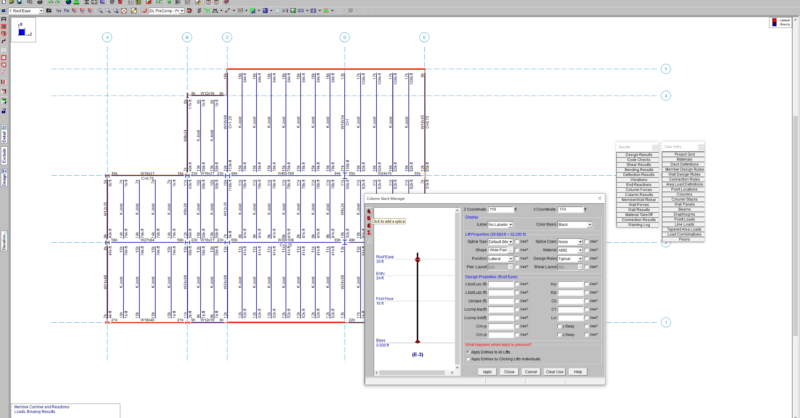
How to Assign Column Base Boundary Conditions in RISAFloor

Column boundary conditions are set in RISAFloor per the Splice Type that...

Read More
July 19, 2011

How to export a model to DXF

RISAFloor, RISA-3D, and RISAFoundation all allow the user to export a...

Read More
July 14, 2011

Varying Soil Properties in RISAFoundation

While RISAFoundation has a Default soil properties (Subgrade Modulus and...

Read More
July 05, 2011

How to Model Composite Sections in RISASection

Modeling built-up or composite sections can easily be done in RISASection....

Read More
June 30, 2011

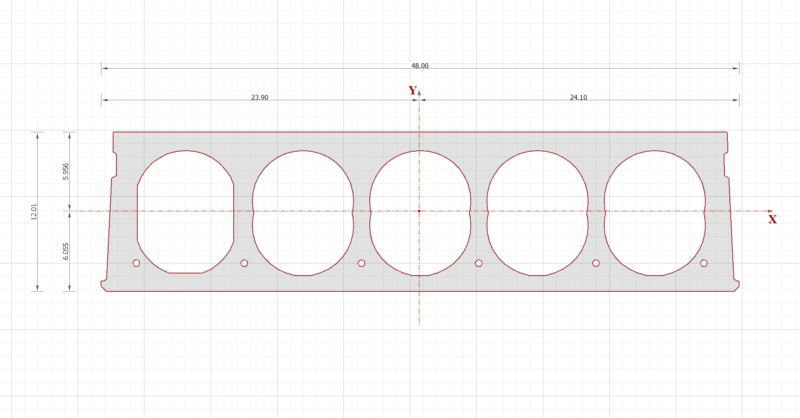
How to Model a Void in a RISASection Shape

In order to model built-up or composite sections, RISASection includes the...

Read More
June 28, 2011

Checking Soil Bearing in RISAFoundation

RISAFoundation has the capability to report soil bearing pressures, and...

Read More

Subscribe to Our Newsletter

Our monthly "Structural Moment" newsletter is the best way to keep up with RISA’s product updates, new releases, new features, training events, webinars and more...