Risa Tips & Tricks: How to Use Our Structural Analysis Software

August 11, 2026

Wall Panel Boundary Conditions: Frequently Asked Questions

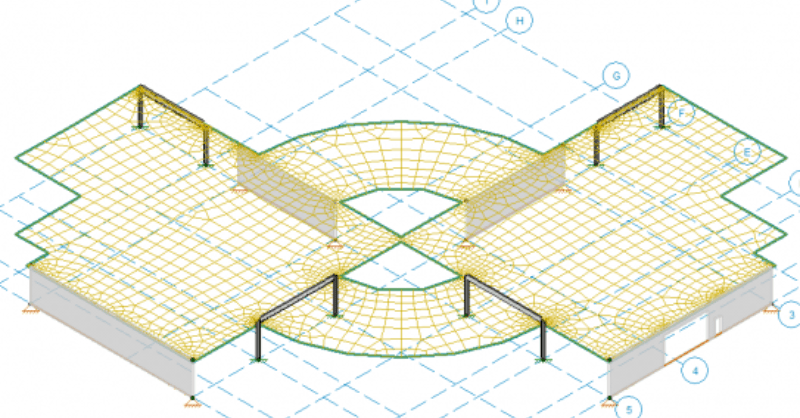
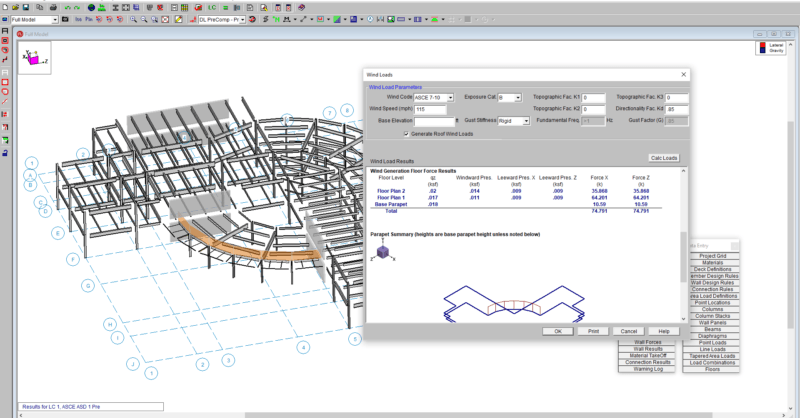
Wall panels in RISA-3D let engineers design and analyze multiple structural systems in a single model. Correctly applying boundary conditions at wall panels is critical to accurately represent the structure’s behavior. This FAQ answers common questions about how to set up wall panel boundary conditions and how RISA-3D handles them in the analysis. How do I apply continuous boundary conditions along a wall panel edge? 1. Open the Wall Panel Editor Double click on the wall panel in the 3D view to open editor Use this editor to customize the wall panel including adding openings, changing materials, and assigning boundary conditions 2. Select Boundary Conditions Click the Boundary Conditions button in the upper left corner under the Walls tab Use one of the preset options as a starting point: Free, Fixed, Pinned, or Roller For custom restraints, set each degree of freedom (DOF) to Reaction or Free 3. Assign Boundary Condition at an edge Click on a snap point along the edge of the wall where you'd like to apply the boundary condition The boundary condition will be applied to the entire length of the edge selected Once assigned, the wall boundary condition will show in orange in the model…

Read More

November 02, 2016

Basic Code Terms for Seismic Behavior and Why We Use Them

Seismic Forces are generated automatically using seismic parameters R,...

Read More
October 20, 2016

Shear Splices between Slabs

In RISAFoundation v8, you can add a shear splice between slabs so that it...

Read More
October 19, 2016

Instabilities in RISA-3D with Flexible Diaphragms

In a model that contains both RISAFloor and RISA-3D data it is possible to...

Read More
September 07, 2016

Understanding the Slab Design Cut Results

In RISAFoundation, the user has the ability to manually draw a single...

Read More
August 31, 2016

Why Do My Wide Flange Members Fail in the AISC 14th Edition Code?

In RISA-3D’s addition of the AISC 14th Edition code we added Section E4...

Read More
August 17, 2016

How Does RISA-3D Account for Torsional Warping?

Twisting of a member or frame induces torsional forces and stresses. This...

Read More
August 16, 2016

Why Can’t I See My RISASection Shapes in the Shape Database?

When using RISA Integration between RISASection and RISA-3D, RISA-2D...

Read More
August 10, 2016

Use Wide Flange Braces in Vertical Brace Connections

RISAConnection now offers the ability to use a wide flange brace member in...

Read More
August 03, 2016

Use HSS Column & Beams in Brace Connections

RISAConnection v6 has added HSS tubes and pipes for Diagonal and Chevron...

Read More

Subscribe to Our Newsletter

Our monthly "Structural Moment" newsletter is the best way to keep up with RISA’s product updates, new releases, new features, training events, webinars and more...