August 25, 2015
What does the Include Structure Weight Checkbox Do for Seismic Loads?
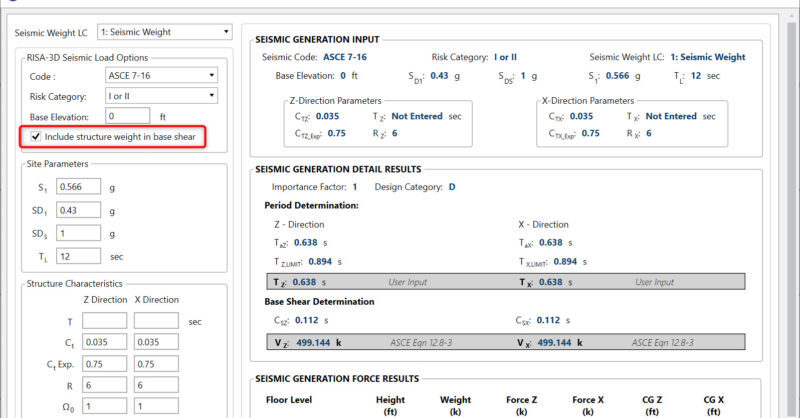
In the Seismic Loads dialog there is a checkbox for “Include structure weight in base shear”.
Powerful Tools Don’t Help If They’re Left Unused Many engineers evaluate analysis software based on core modeling and design checks. But once a demo is over, some of the most impactful features are the ones that quietly save time on real projects — especially mid-size jobs where efficiency matters most. These aren’t advanced edge-case tools. They’re everyday features that often go underused. Diaphragm Forces: See Load Paths Instead of Guessing Diaphragm force output is one of the most valuable — and least leveraged — parts of a full building model. Instead of relying on manual distribution or conservative assumptions, engineers can directly see how loads are flowing to vertical elements. For mid-size structures, this clarity can mean: Fewer overdesigned collectors More confidence in lateral load paths Faster review and revisions when layouts change Batch Results: Review Smarter, Not Longer Batch results allow engineers to review multiple load cases, members, or design checks in a single pass. Instead of hunting through individual reports, patterns become obvious quickly. On mid-size jobs, this speeds up: QA/QC reviews Iterative design changes Comparing “before and after” scenarios It’s not about skipping checks — it’s about seeing the full picture sooner. Design Iteration Speed Is the…
Read More
In the Seismic Loads dialog there is a checkbox for “Include structure weight in base shear”.
RIAFloor designs the gravity system and then integrates with RISA-3D to design the lateral system. Only the lateral members are taken from RISAFloor over to RISA-3D. The loading is automated in this integration so one of the most common questions is: what loads are transferred when switching from...
There are multiple options in RISA-3D and RISAFloor to create a custom shape not available in the program databases. The first, is to utilize RISASection in order to create cross-sections, calculate section properties and import the shape directly into RISA-3D. For more information on integrating...
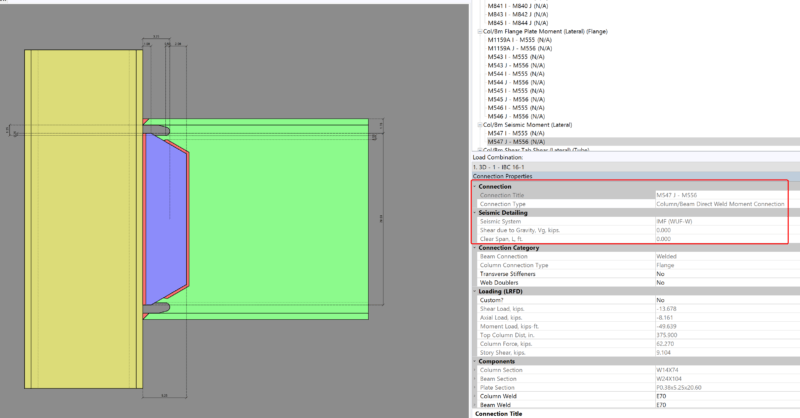
Design for seismic connection detailing is now available in RISAConnection and you can use the connection rules within RISAFloor and RISA-3D to export a RISAConnection model. The integration will import the connection forces (and seismic detailing results) into RISAConnection for seismic moment...
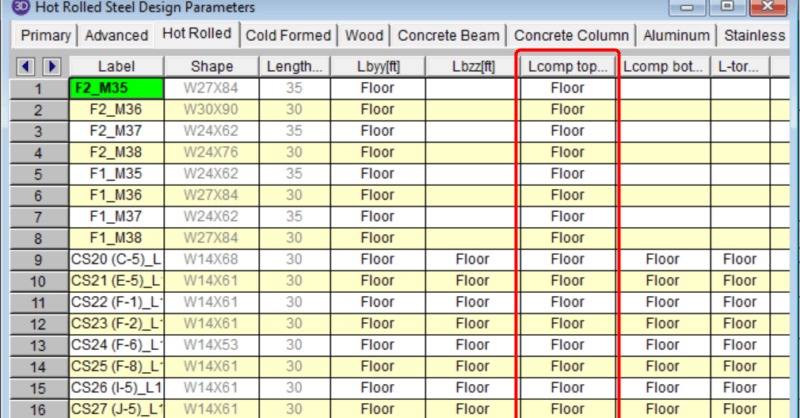
In a RISAFloor model the columns and beams can be assigned unbraced lengths, or the program may calculate them automatically. This unbraced length information can then be used in RISA-3D. A great example is the frame below:
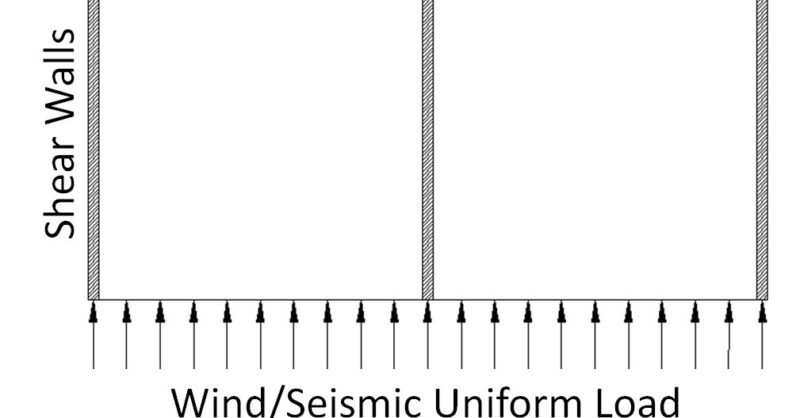
RISAFloor Concrete Floor Slabs can design be transferred into RISA-3D for lateral design using either a Rigid Diaphragm or Semi-Rigid diaphragm. In RISA-3D, the wind and seismic loads are calculated and then applied into the diaphragm level to distribute the forces to the Lateral Resisting System.
Timber design per the Canadian CSA 086-2009 design code is now available. Canadian wood member design is very similar to the US NDS member design. There are slightly different load factors, material properties, shape tables, and capacity equations, but the overall modeling procedure in RISA is the...
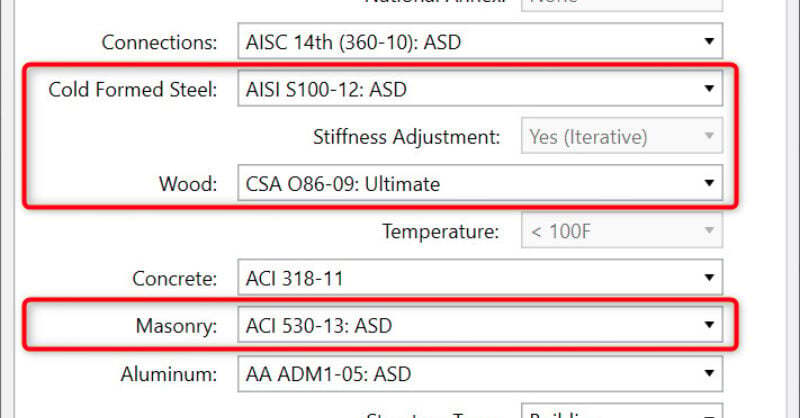
New codes have been added to RISA-3D v13 and RISAFloor v9, these include: AISI S100-12: Cold-Formed Steel Design Code CSA 086-09: Canadian Wood Design Code ACI 530-13: Masonry Design Code To select these codes for your design, simply choose them from the Codes tab of Global Parameters:
Aside from leaving an unbraced length blank or inputting a fixed distance, you can harness the program’s ability to use a limited intelligence for determining unbraced lengths. In order to do this you can simply type in the name of the Unbraced Length Commands into the unbraced length field.
Our monthly "Structural Moment" newsletter is the best way to keep up with RISA’s product updates, new releases, new features, training events, webinars and more...