February 28, 2026

Bridging the Gap: Real-World Coordination Challenges for Structural Engineers

Structural engineering isn’t just about calculations—it’s about making assumptions explicit, validating them against the built environment, and translating loads into actionable design decisions. Even perfect analysis won’t prevent problems if coordination fails. Here are four real-world cases that illustrate the challenges and solutions that practicing engineers face daily. Architect Coordination – “The Wall Section That Didn’t Exist” Project: Multi-story mixed-use building Challenge: The architectural drawings specified a wall section that was shallower than required for structural framing. Technical Issue: The structural model indicated that full lateral loads required a thicker wall cavity to properly anchor the framing. If built per the architectural drawings, the wall would have created clearance issues and compromised the lateral load path. Solution & Workflow: Compared architectural sections to the structural model in 3D. Highlighted discrepancies in the model and prepared annotated visuals. Shared a clear summary with the architect outlining why the wall depth needed adjustment. Outcome: The architect revised the wall section prior to construction. No field conflicts occurred, and the project stayed on schedule. Engineering Lesson: Always validate architectural assumptions against your structural model. Small dimensional mismatches can create drift, clearance, or lateral capacity problems. Contractor Coordination – “The Footing That Wasn’t There”…

Read More

December 21, 2010

How Can I Account For Continuous Tie Rods in RISA-3D Wood Walls?

Continuous tiedown systems are used to help resist overturning forces...

Read More
December 16, 2010

How Should I Model Boundary Conditions for a Truss in RISA-3D?

When it comes to trusses in RISA-3D, boundary condition definitions (pin...

Read More
November 29, 2010

How to Check Frame Story Shears in RISA-3D

When using rigid diaphragm analysis in RISA-3D it can be useful to...

Read More
October 26, 2010

How to Use Spreadsheets More Effectively in RISA

RISA includes various advanced spreadsheet operations that make reviewing...

Read More
September 20, 2010

Use RISA to Consider Bi-Directional (Quartering) Wind Loading

RISA-3D automatically considers the complex wind combinations required by...

Read More
September 14, 2010

How to Model a Building on a Hill

When dealing with a sloping site, it is often necessary to step-down the...

Read More
September 14, 2010

How to Design Flexible Diaphragms in RISAFloor

When you model your building in RISAFloor, make sure that you define your...

Read More
August 31, 2010

How Are Wind Loads Generated for Sloped Roofs?

RISAFloor is capable of automatically generating the wind loads on sloped...
Read More
August 27, 2010

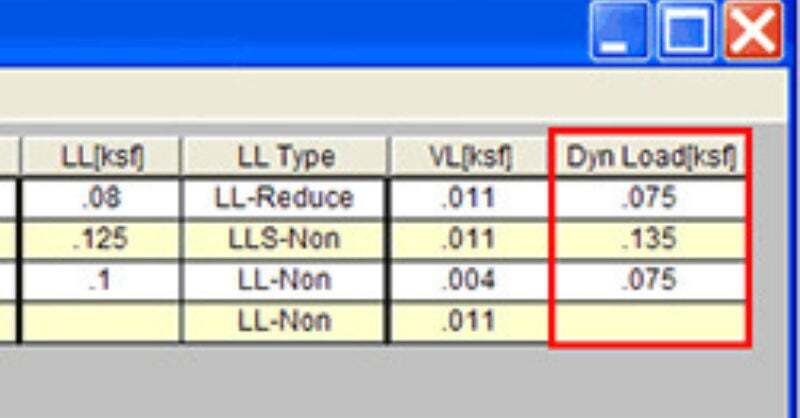
What is the Dyn Load Category in RISAFloor?

The Dyn Load represents the additional load that must be included in the...

Read More

Subscribe to Our Newsletter

Our monthly "Structural Moment" newsletter is the best way to keep up with RISA’s product updates, new releases, new features, training events, webinars and more...