January 27, 2026

Structural Analysis Considerations for Industrial Steel Structures

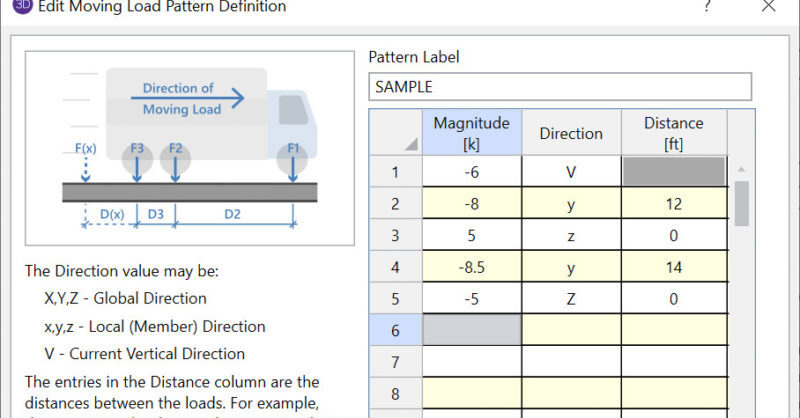
Industrial steel structures—such as pipe racks, material handling systems, transfer structures, and equipment supports—present a distinct set of challenges compared to conventional building design. These systems are often governed by heavy equipment loads, irregular geometry, non-building load combinations, and serviceability or constructability constraints that demand careful analytical judgment. Unlike repetitive floor-framed buildings, industrial structures tend to be highly bespoke. Each project requires deliberate decisions around idealization, load application, boundary conditions, and analysis method to ensure the model reflects real structural behavior. Load Definition and Application One of the primary drivers in industrial steel design is load characterization. Gravity loading is frequently dominated by: Concentrated equipment reactions Conveyor or material surcharge loads Pipe contents and thermal effects Construction and maintenance load cases These loads rarely align cleanly with member grids and often require explicit application at nodes or along members. Engineers must take care to apply loads at realistic elevations and attachment points to avoid unintentionally stiffening or softening the system. Lateral loads may be generated by wind, seismic, operational effects (e.g., surge or braking loads), or equipment-induced horizontal forces. For industrial structures, these loads are often not distributed uniformly and may govern localized members rather than the global system. Modeling…

Read More

RISA-3D (26)

September 13, 2012

How Can I Use a Wall for Shear Only (no Bearing) in RISA-3D?

Let’s consider the example of the frame shown below. Suppose there is a...

Read More
August 09, 2012

How to Model a Column within a Wall in RISA-3D

While RISA-3D does not currently have pilaster design, there are still...

Read More
June 07, 2012

How to Apply Hydrostatic Loads to Circular Tanks in RISA-3D

RISA-3D v10 now has the ability to quickly and easily apply hydrostatic...

Read More
May 17, 2012

Detailed Look at Lintel Analysis for Concrete Walls in RISA

RISA-3D now has the ability to design concrete walls with openings for...

Read More
April 03, 2012

Why Don’t My Response Spectra Reactions Satisfy Statics?

The applied loads in a response spectrum analysis (RSA) are the applied...

Read More
March 01, 2012

How to Get a Code Check for Custom Cold Formed Steel Shapes

In order to get code calculations, RISA-3D and RISA-2D need to know what...

Read More
February 23, 2012

How Do I Resolve a P-Delta Instability?

Investigating P-Delta instabilities in RISA-3D (or RISA-2D) can be...

Read More
February 13, 2012

How to Apply a Rigid Diaphragm in RISA-3D

In RISA-3D, rigid diaphragms can be added using the Diaphragm spreadsheet....

Read More
February 06, 2012

How do Plates and Walls interact with each other?

Below is a model of a concrete flat slab (represented by a plate) which is...

Read More

Subscribe to Our Newsletter

Our monthly "Structural Moment" newsletter is the best way to keep up with RISA’s product updates, new releases, new features, training events, webinars and more...