March 18, 2016
How Do I Find A Failing Member in the Model?
You may find that when looking at the Code Check spreadsheet that a given member is failing in design. Here is an example where a steel brace is failing in bending.
Powerful Tools Don’t Help If They’re Left Unused Many engineers evaluate analysis software based on core modeling and design checks. But once a demo is over, some of the most impactful features are the ones that quietly save time on real projects — especially mid-size jobs where efficiency matters most. These aren’t advanced edge-case tools. They’re everyday features that often go underused. Diaphragm Forces: See Load Paths Instead of Guessing Diaphragm force output is one of the most valuable — and least leveraged — parts of a full building model. Instead of relying on manual distribution or conservative assumptions, engineers can directly see how loads are flowing to vertical elements. For mid-size structures, this clarity can mean: Fewer overdesigned collectors More confidence in lateral load paths Faster review and revisions when layouts change Batch Results: Review Smarter, Not Longer Batch results allow engineers to review multiple load cases, members, or design checks in a single pass. Instead of hunting through individual reports, patterns become obvious quickly. On mid-size jobs, this speeds up: QA/QC reviews Iterative design changes Comparing “before and after” scenarios It’s not about skipping checks — it’s about seeing the full picture sooner. Design Iteration Speed Is the…
Read More
You may find that when looking at the Code Check spreadsheet that a given member is failing in design. Here is an example where a steel brace is failing in bending.
The Pacific Earthquake Engineering Research center (PEER) has a large library of measured earthquake records. Below is an example of how to quickly convert one of these records into a format that can be imported into RISA.
RISAFloor ES allows you to model concrete slabs of any thickness. However, there might be sections of the building that require a thicker slab. The icon is shown below and it will allow you to draw a Polygon or Rectangular shape.
Ramp Up Function RISA allows you to define “Ramp Up Functions” to control how the force and frequency vary during this initial startup time. Typically cyclic equipment loading is applied as a reduced force or frequency when it is initially starting up. It would be overly conservative if it were...
In RISAFloor ES, you can quickly thicken the slab in the column strip area with the Drop Panel tool. The column strip is typically the area of highest demand so increasing the thickness may help optimize the concrete usage.
The new ACI 318-14 code has been implemented into RISA-3D V14, RISAFloor V10, and RISAFoundation V8. One of the big changes between the ACI 318-11 and the ACI 318-14 was to minimum flexural reinforcement for one-way and two-way slabs, as well as foundation elements.
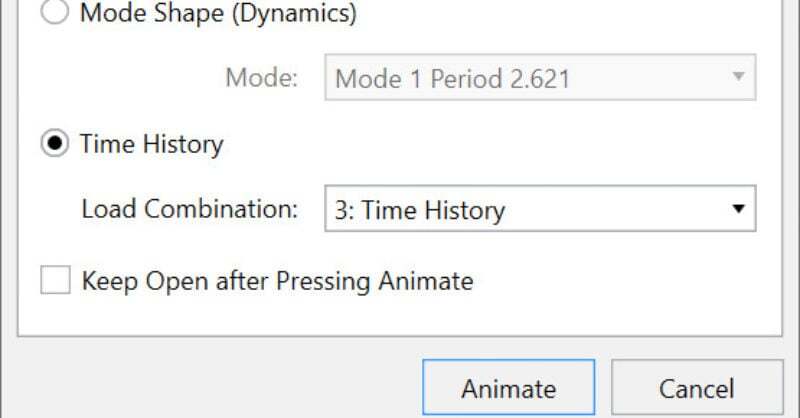
New in RISA-3D v14 is the introduction of a Time History analysis feature. Time history functions may be generated directly in the program based on simple sinusoidal functions. More complex functions, however, can be imported from a text file.
Mechanically graded wood materials have been added for the AWC NDS 2015 design code per Table 4C, and CSA O86-14 design code per tables 6.3.2 and 6.3.3. This specification includes the updated MEL and MSR design values.
The latest versions of RISA-3D and RISAFloor now incorporate the AWC NDS 2015. The new provisions have been implemented in RISA-3D v14.0 and RISAFloor v10.0 and can be utilized by selecting the AWC NDS-15: ASD from the Wood dropdown menu on the Codes tab of Model Settings.
Our monthly "Structural Moment" newsletter is the best way to keep up with RISA’s product updates, new releases, new features, training events, webinars and more...