


 By: Admin

Adding Roof Parapets in RISAFloor
RISAFloor v11 now includes the option to add parapets and parapet...
One of the most overlooked design criteria for commercial buildings is the tendency of the floor system to bounce or vibrate due to human footfalls. Excessive vibration of the floor system is a serviceability issue, and can lead to annoyance or concern from the building’s occupants.
Fortunately, RISAFloor has the ability to check the floor system’s performance in this regard, based on the criteria defined in AISC Design Guide #11.
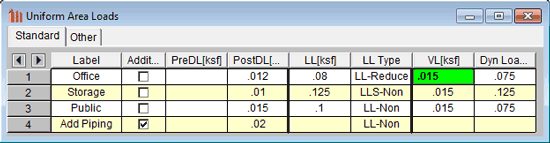
When you define area loads in RISAFloor, one of the definitions is for Vibration Load (VL). This represents the actual live load anticipated to be present on the floor. While typical design live loads can be upwards of 80 psf, the true live load (which will assist in dampening the floor vibration) in a commercial building is typically less than 20 psf.
During solution the program determines the natural frequency of the floor system, considering the self weight of the beams and deck, as well as the additional Vibration Load, and compares that against a dynamic excitation caused by a person walking. The result is an expected floor system acceleration (%g), which can be compared against allowable accelerations for different building types.
You can review the vibration results either through the vibration spreadsheet, or graphically through Plot Options:

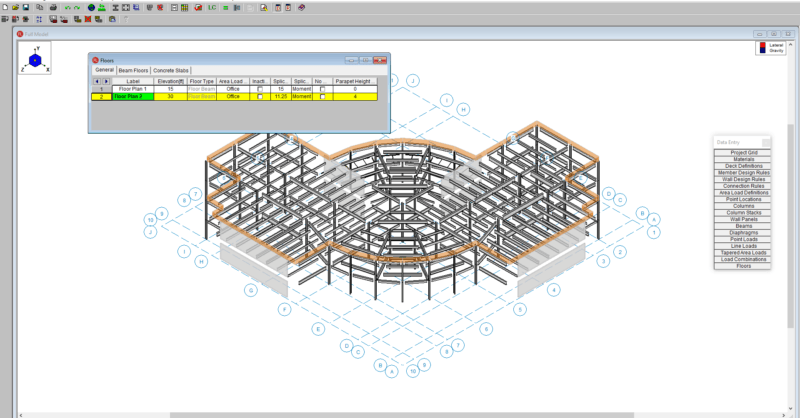
RISAFloor v11 now includes the option to add parapets and parapet...
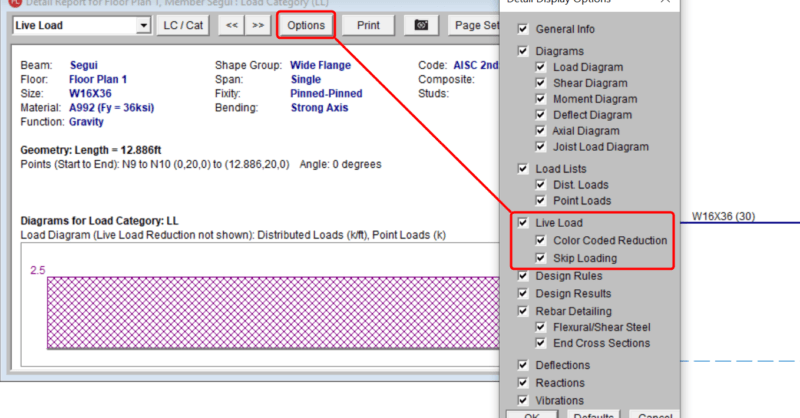
The consideration of Live Load reduction is a feature that has been in...
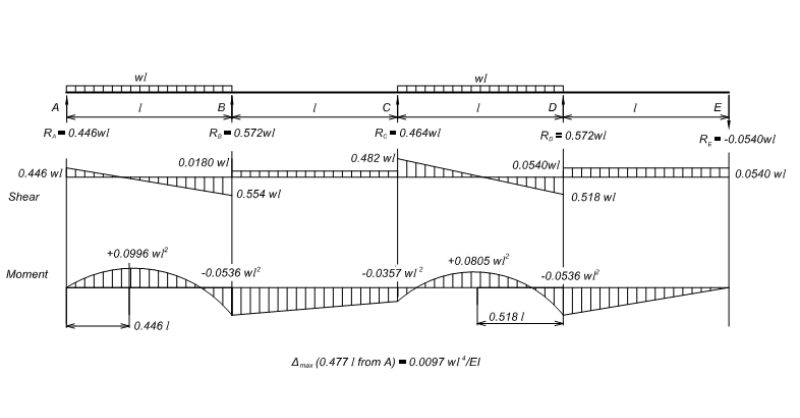
Basic Description Pattern based skip loading has recently been added...