


 By: Admin

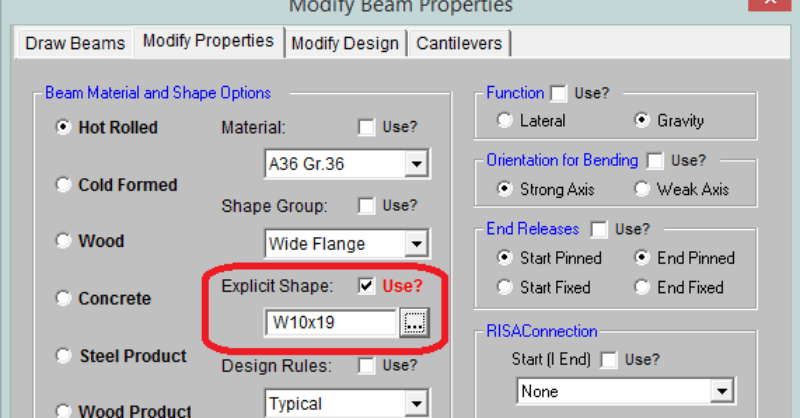
How Do I Define Specific Member Sizes in RISAFloor?
RISAFloor is a design program in which it takes basic shape criteria...
To understand decks it is important to know what a deck is. In typical buildings, most of each floor will consist of only one type of deck.
RISAFloor makes modeling easy by allowing you to define a default deck for each floor. This default is the deck that will be automatically applied to all of the framing within the slab on that floor, unless otherwise specified.
To define the default deck, go to the Floors spreadsheet:

The Deck Default dropdown allows you to choose which deck is predominantly used on that floor. Additionally, for decks which use one-way load attribution, you may specify a span direction for the deck as an angle from the plan-horizontal direction.
In the screenshot below, the Flat Slab deck has been defined as the Default Deck, and a portion of the floor has a Composite deck explicitly defined. Any decks which you draw on the floor will automatically override the default deck in that location.
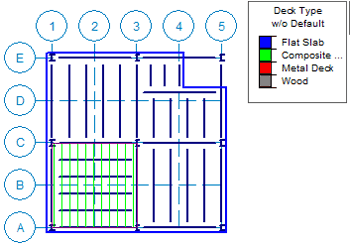
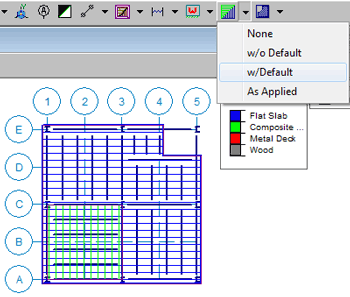
By clicking on the Show Deck Assignment toolbar button you can confirm the default deck as well:
RISAFloor is a design program in which it takes basic shape criteria...
Oftentimes the architecture of a building does not follow a simple...

In RISAFloor on the roof level, you layout only the top chords of the...