


 By: RISA
How to Apply a Tapered Load to Plates in RISA-3D
It’s easy to apply tapered surface loads to plates in RISA-3D by...
RISA-3D plate elements can be used to investigate glass panel response and interaction with curtain wall framing. Although the program does not provide dedicated glass design or code checks, plate analysis allows engineers to investigate glass panel behavior in combination with the framing response.
The following guidance focuses on plate properties, connectivity, and loading. Apply engineering judgment when selecting assumptions and interpreting results. For framing-only modeling, custom aluminum sections, and member design considerations, see the companion article, "Glass Curtain Wall Design in RISA-3D: Member Design."
Adding plates changes more than just the model’s appearance. Plates share loads with framing members according to their relative stiffness and provide a stiffness-based load distribution. This distribution can affect both the glass plate forces and framing demands. It can also reduce member forces unintentionally, so material properties, connectivity, and plate meshing require careful review.
Before adding plates, identify what the analysis needs to capture: panel response, load distribution, or interaction with the framing. Use those objectives to guide the material properties, plate thickness, mesh, and connectivity.
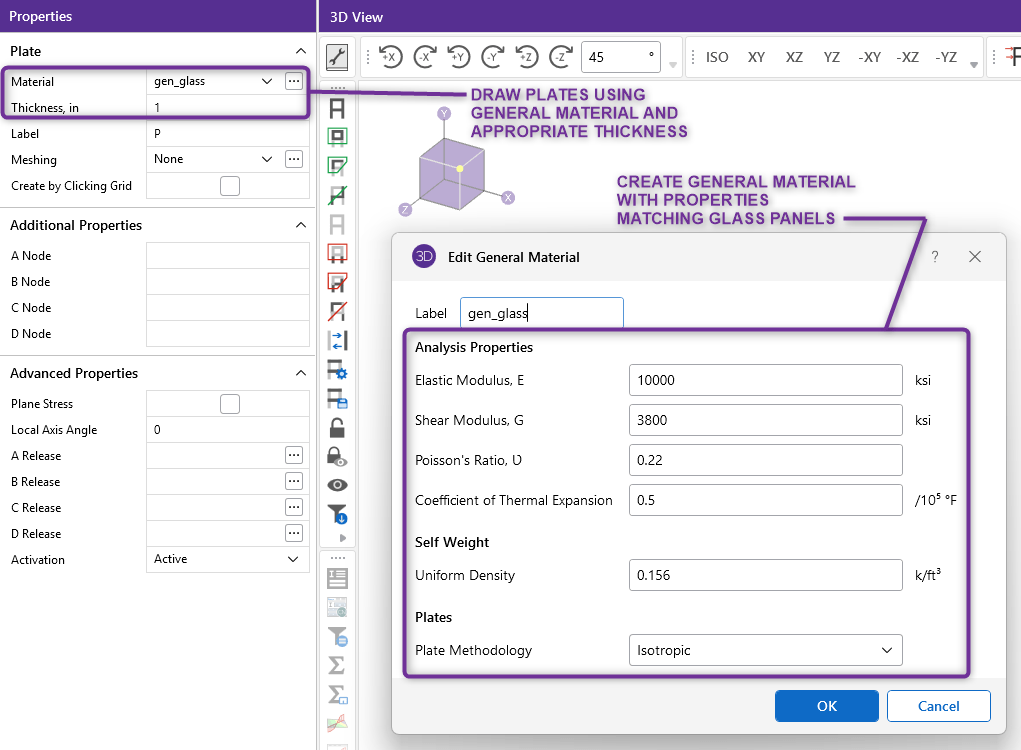
When drawing plates, select the appropriate thickness and material. Define a custom material with properties suitable for the glass being represented. Use a thickness consistent with the selected glass idealization. Any equivalent thickness or stiffness adjustment should be reviewed and justified based on the intended panel construction and behavior.
Determine plate settings consistent with the intended structural behavior of the glass panels. RISA-3D provides options for defining directional material stiffness and controlling whether plates contribute out-of-plane stiffness.
RISA-3D supports isotropic and orthotropic plate methodologies. Orthotropic properties allow for different stiffness characteristics in the longitudinal and transverse directions. This adjustability can be useful when the selected glass idealization requires directional stiffness.
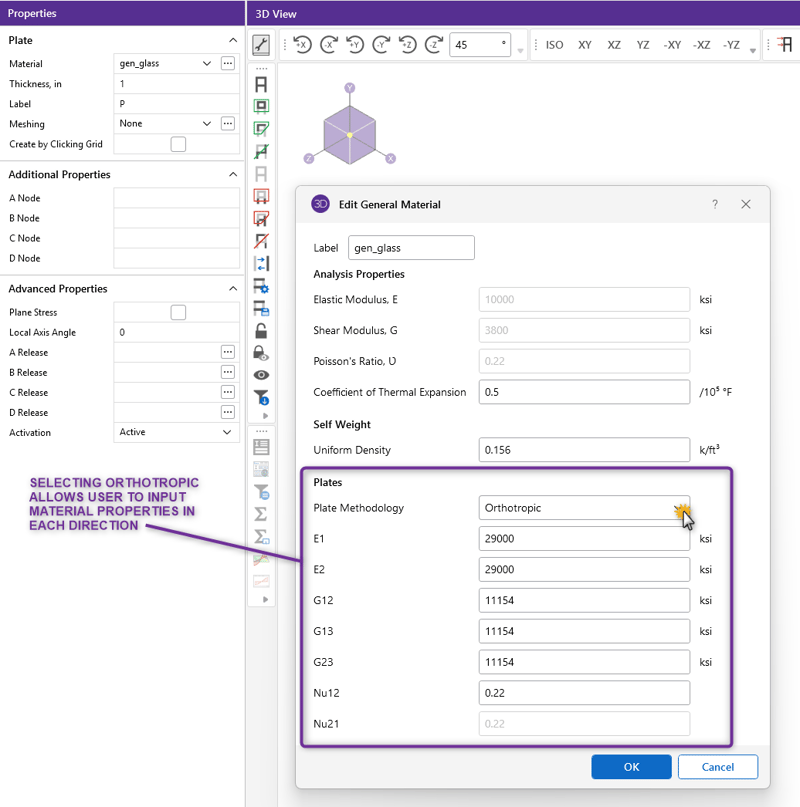
Review the local plate axes when using orthotropic methodology so the material properties correspond to the intended model directions. For property inputs, axis requirements, and examples, see “Orthotropic Plates in RISA-3D.”
For out-of-plane stiffness, RISA-3D provides the plane stress option. A plate designated as plane stress retains in-plane stiffness but does not attract out of plane moments.
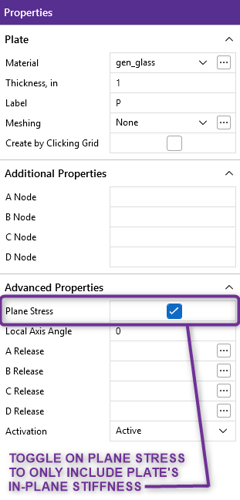
Use this option when excluding plate bending is consistent with the intended modeling assumptions. It is not appropriate when the objective is to evaluate the glass panel’s out-of-plane bending response to wind pressure. For details on this setting and other plate properties, see the “Plate Information” section of the RISA-3D Help File.
Verify plate orientation, mesh size, node locations, and connectivity with adjacent members. Relative stiffness affects load distribution, while mesh size and node locations influence the resulting load sharing.
Review framing forces after introducing plates. Unexpected reductions in bending moments or axial forces may indicate that the plates are carrying loads the engineer intended the framing to resist.
Where appropriate:
See “Understanding Plate and Member Interaction in RISA” for examples of load sharing and recommendations for reviewing model behavior.
Determine components-and-cladding wind pressures outside RISA-3D, then apply these loads to the appropriate façade regions.
When glass is represented by plates, use plate surface loads to apply the loading directly to the modeled glass plates. Align plate edges with zone boundaries so different load magnitudes can be assigned to the appropriate regions. Confirm the global or local load direction before solving.
Glass weight can be represented through externally applied loads or plate self weight. The method selected will depend on the engineer's preference, inputted plate properties, and required load path.
If using surface loads to represent the glass weight, apply them in the gravity direction. Set plate material density to zero when accounting for weight externally to avoid duplicate self weight.
Alternatively, use the material density and plate thickness to represent glass weight through the model’s self weight loading.
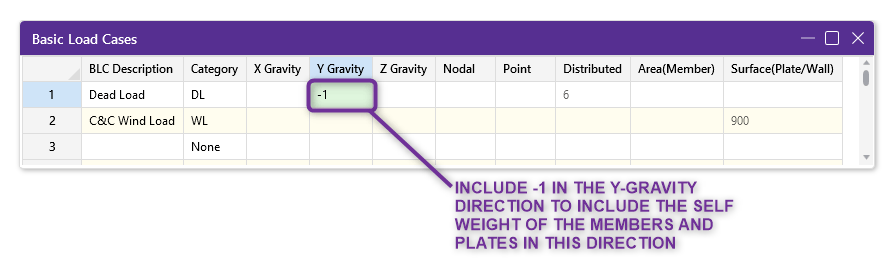
An important consideration with this method is that changes to plate thickness affect both the calculated weight and plate stiffness. Changes to the plate stiffness can in turn change load sharing with the framing. Confirm the inputted thickness provides the expected behavior for both of these outputs.
RISA-3D does not provide glass design or code checks. Use the plate analysis results to jumpstart the evaluation of the glass outside of the program. The calculated plate forces from RISA-3D can serve as the inputs for an external glass check.
Before using the calculated plate results, confirm that plate properties, stiffness assumptions, mesh size, connectivity, and loading adequately represent the intended behavior. Review plate response alongside framing demands so that unintended load sharing is not overlooked.
RISA-3D’s plate modeling capabilities give engineers flexibility to investigate panel response and its effect on curtain wall framing within a coordinated analysis model. Use these tools alongside the member design workflow to explore load distribution and obtain analysis results for external glass evaluation.
Ready to apply plate modeling to your curtain wall project? Have questions on plate properties? Use the Reach an Engineer button below to connect with a RISA Expert.

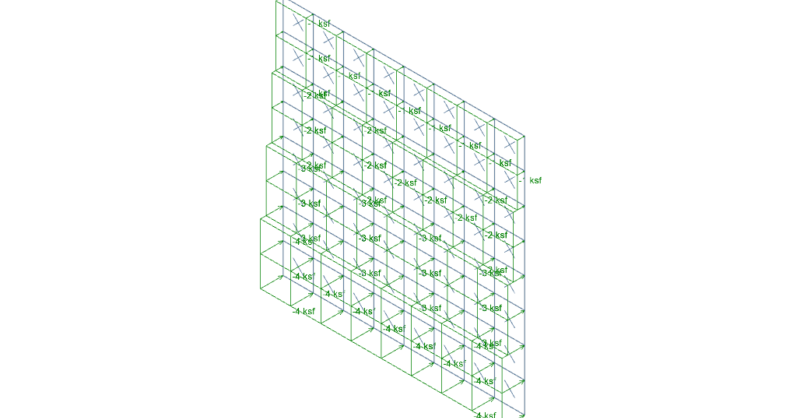
It’s easy to apply tapered surface loads to plates in RISA-3D by...
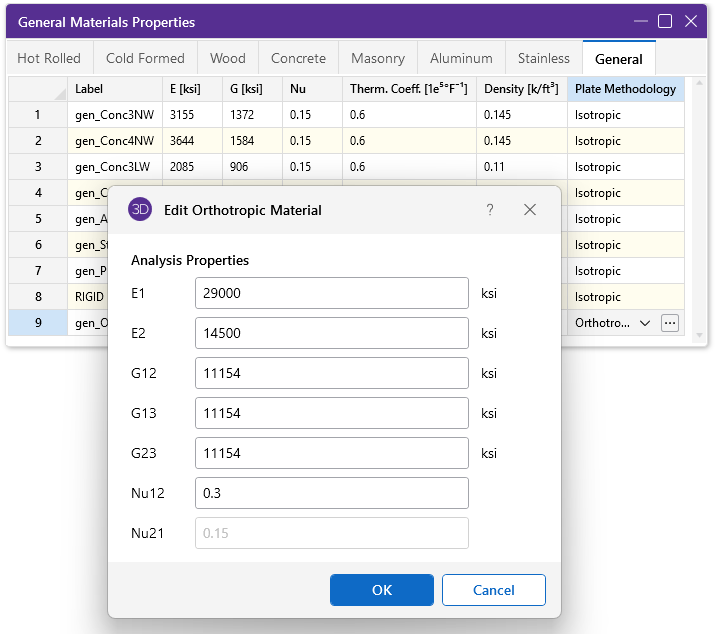
RISA-3D includes the ability to define the plate methodology of a...
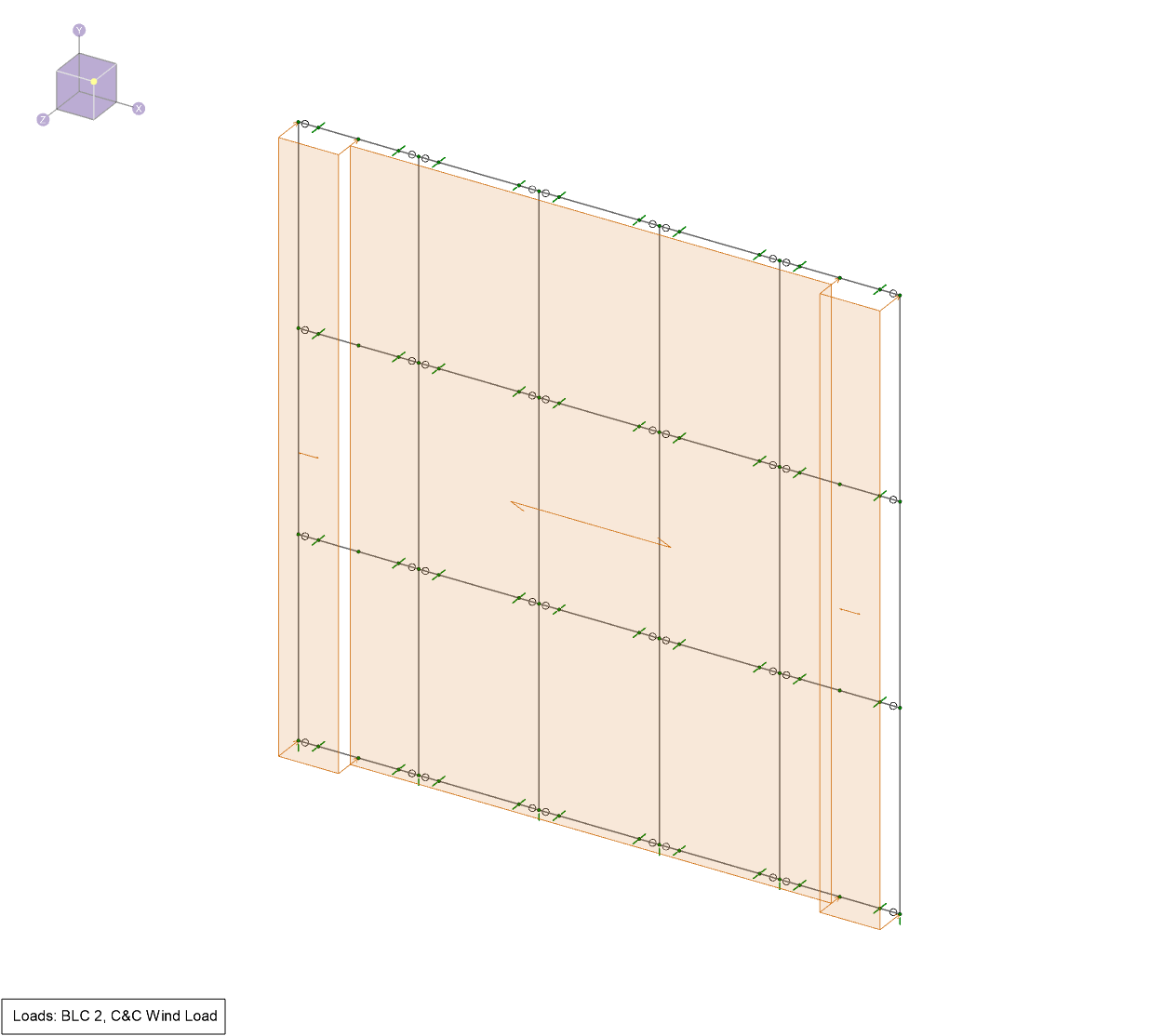
RISA-3D can support the analysis of aluminum framing for glass curtain...