


 By: RISA
How To: Using the RISA Learning Center
The RISA Learning Center provides a robust user experience allowing...
The redesigned Customer Portal provides the information you need to efficiently manage your RISA products. Stay ahead of renewals, monitor product usage, and access helpful resources all from one place.
See it in action with the video below.
The new homepage gives you a clearer view of your account. Added dashboards and new reporting data provides you with more insights into your licenses, renewals, usage, and resources.
Get a quick snapshot of your account with the Licensing Overview. It makes it easier to understand what products are active and which licenses need attention. This section also provides a jumping off point by linking to other sections of the Customer Portal. Click one of the summary items to learn more or modify your licenses.

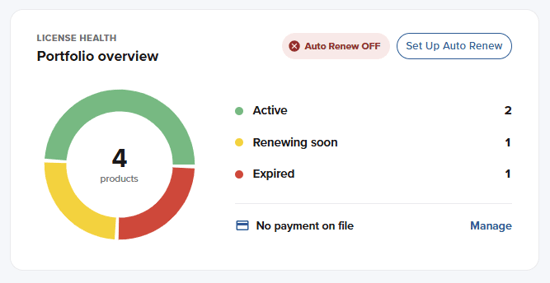
Use the new Portfolio Overview to see the health of your account at a glance. View your total licenses with a breakdown of licenses that are active, renewing soon, and expired. You can also see whether Auto Renew is enabled and directly set it up when needed. This feature automatically renews the software your team relies on and avoids interruptions in your workflow.
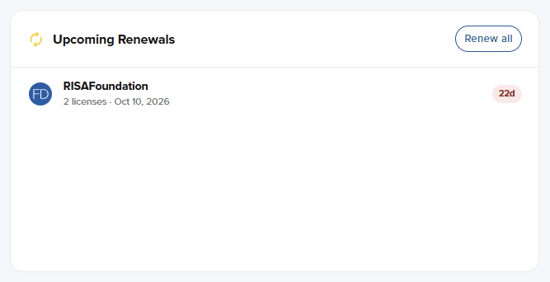
Understand exactly which licenses are approaching renewal and when action is needed. The Renewals dashboard displays products scheduled for Auto Renew within the next 30 days. If Auto Renew is not enabled, it displays licenses inside the active renewal window, starting 90 days prior to renewal. When you are ready to renew, use the Renew All option to quickly add all eligible renewals to your cart at once.
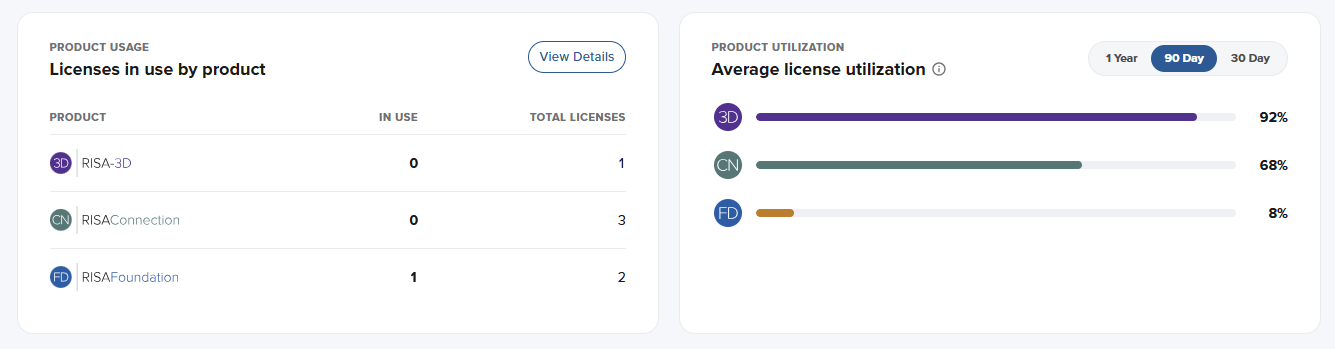
Get real time visibility into how your license are getting used with the Product Usage and Product Utilization dashboards.
The Product Usage dashboard shows the number of licenses currently in use compared to the total number of licenses available for each product. The data is updated live so you can quickly understand your real-time usage and availability across your account.
The Product Utilization dashboard provides a longer-term view of usage by providing you the choice to view the utilization data over three different time frames: 1 year, 90 days, and 30 days. The utilization is calculated by averaging the weekday license usage compared to the total number of licenses. Available for accounts with high license utilization, this dashboard helps you understand the usage needs of your company and gives you the information needed make smart buying decisions.
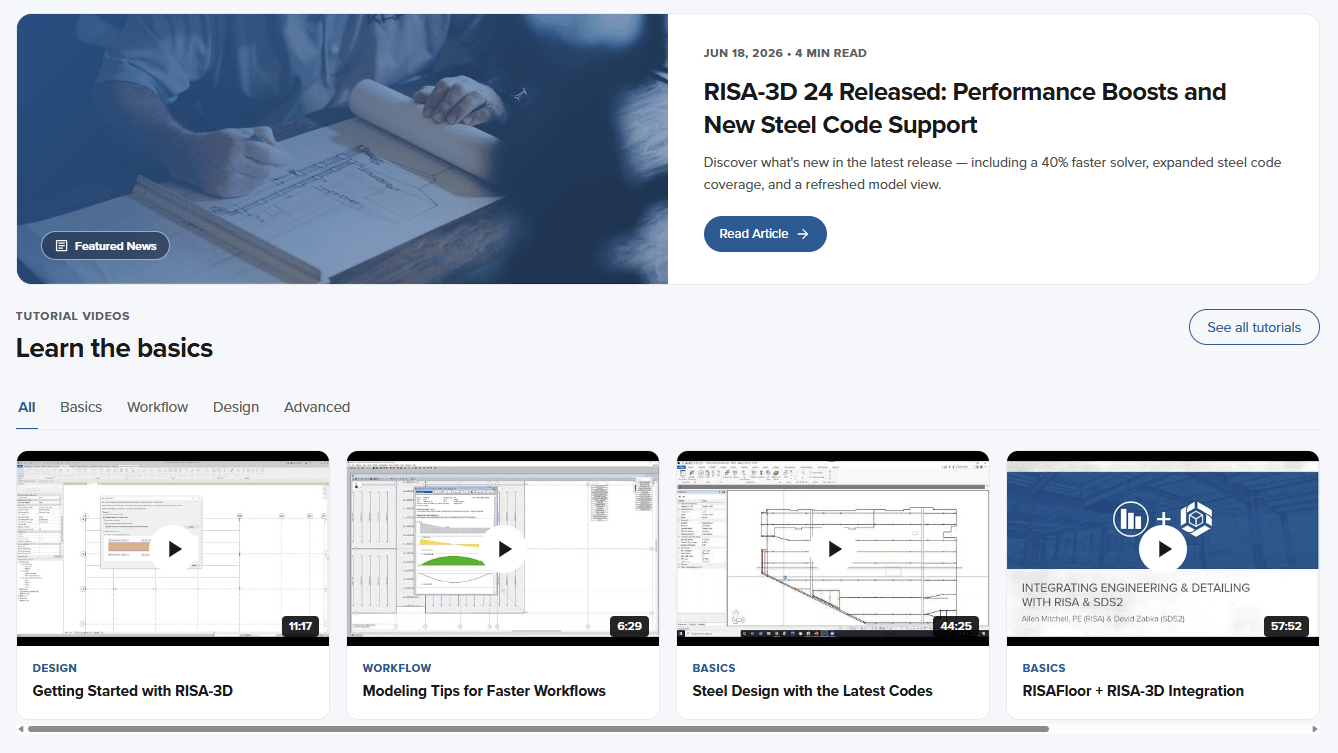
Find valuable RISA resources without leaving the Customer Portal. The homepage now includes direct links to RISA blog articles and the video library. These resources are hand selected for you to get more out of your subscriptions and the programs you use.
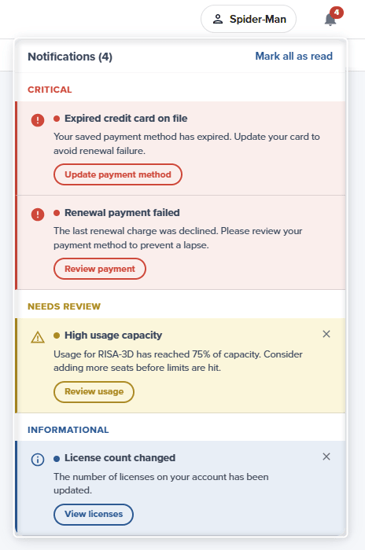
Don’t miss any important account information with the new Notifications Panel in the Customer Portal. You will receive alerts for required credit card updates, Auto Renew issues, high license usage, high rejected requests, and changes to your account. Notifications are color-coded so you can prioritize what needs attention: red for critical notifications, yellow for warnings that need review, and blue for informational items. With timely notifications, the redesigned Customer Portal helps you take action sooner and maintain uninterrupted access to all the RISA products your team depends on.
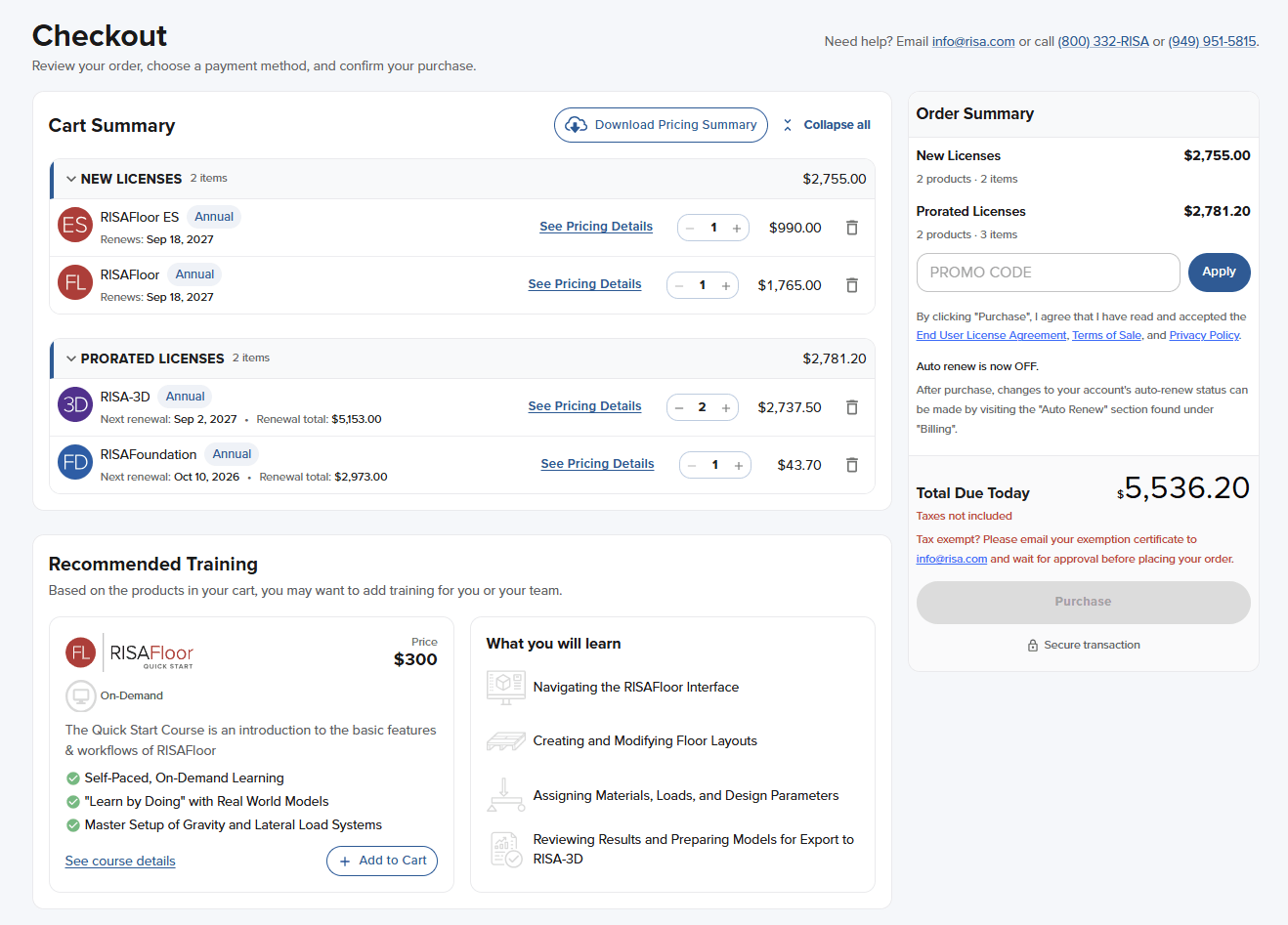
See all your checkout information on one page. View cart, add training, input your information, and set up Auto Renew all from the updated single page checkout. Spend less time buying your licenses and more time designing with them.
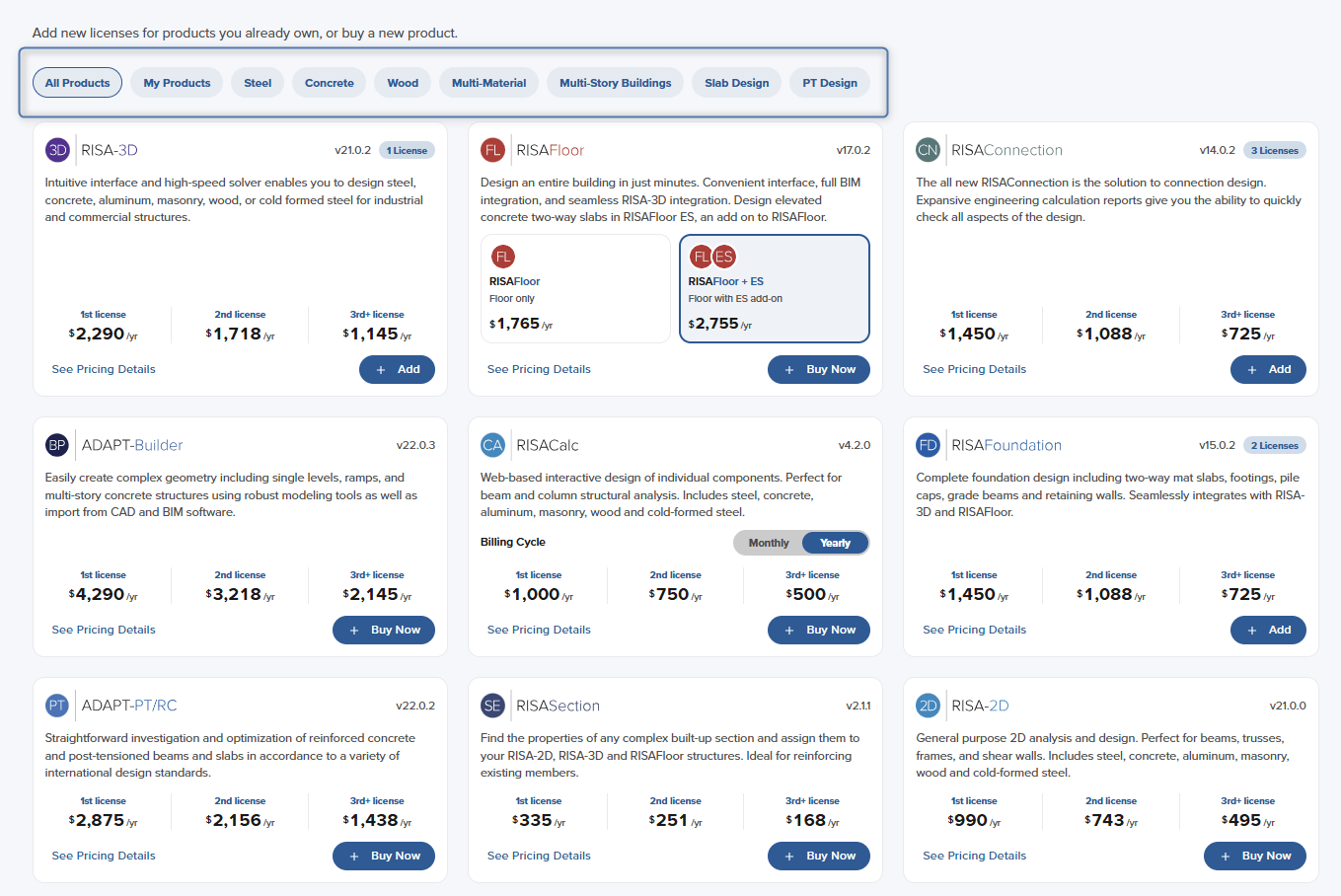
Whether you are purchasing software, starting a trial, or looking for training, the Customer Portal makes it easier to find what you need.
When exploring software, filter options based on products you already own, building material type, or design type. For trials, use the link at the top of the page to explore the full benefit of the RISA Suite and tailor your trial selection to the products that best fit your needs. You can also filter training courses by experience level, course type, or product to find relevant learning opportunities more quickly.
The RISA Learning Center provides a robust user experience allowing...
RISA is excited to announce the release of the RISA-Tekla Link v16....
RISA is excited to announce the release of RISA-3D, RISAFloor, and...