


 By: Admin
Assigning Seismic Loads in RISA-3D
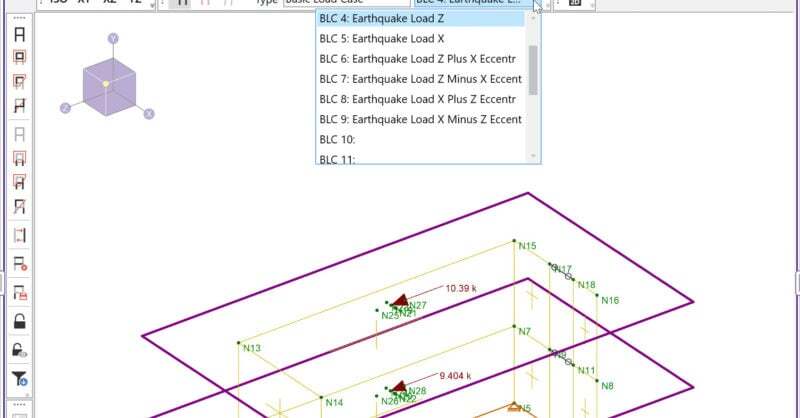
RISA-3D has two ways of automatically generating seismic-related Basic...
The Load Combination Generator in RISA-3D can now include earthquake loads in load combinations to reflect Response Spectra Analysis.
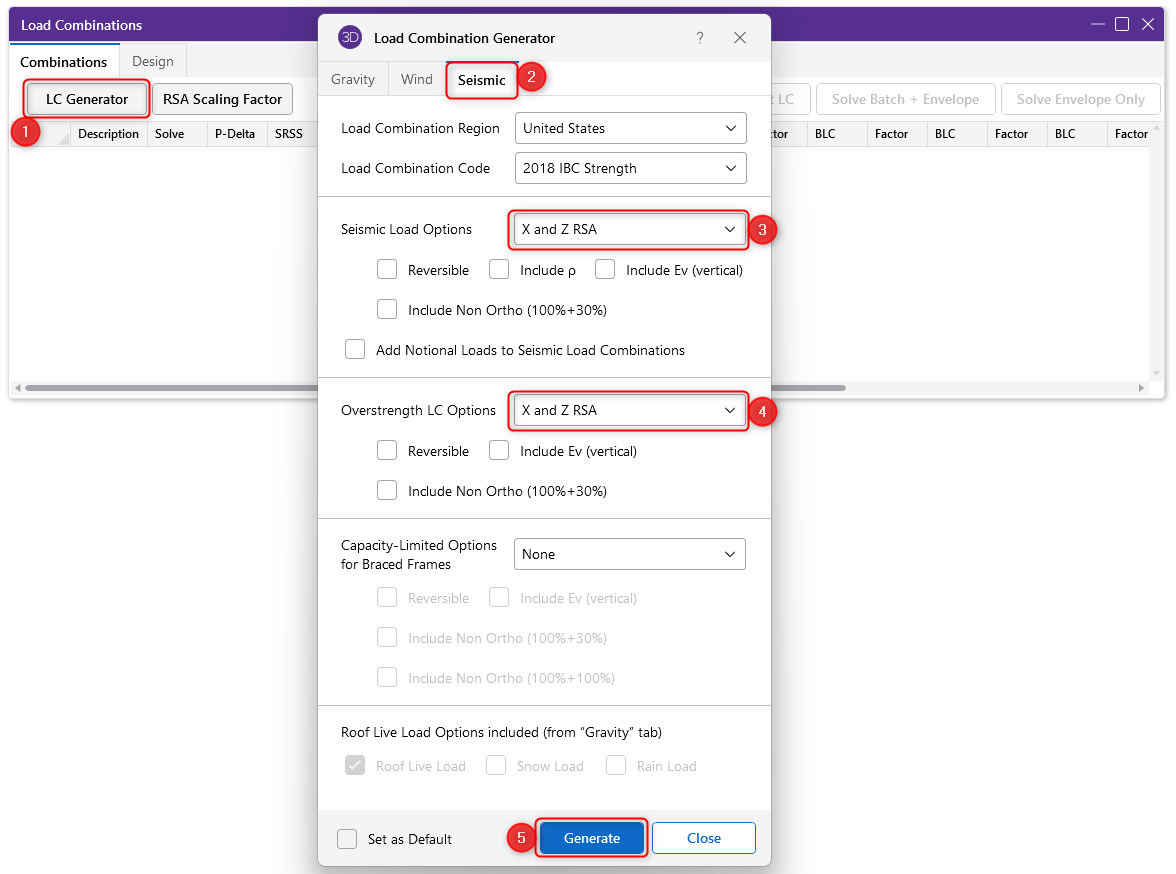
The Load Combination Generator is available when the Load Combination spreadsheet is open. Just click on the ‘LC Generator’ button found at the top of the spreadsheet. Under Seismic tab, select ‘X and Z RSA’ for both Seismic Load Options and Overstrength LC Options.
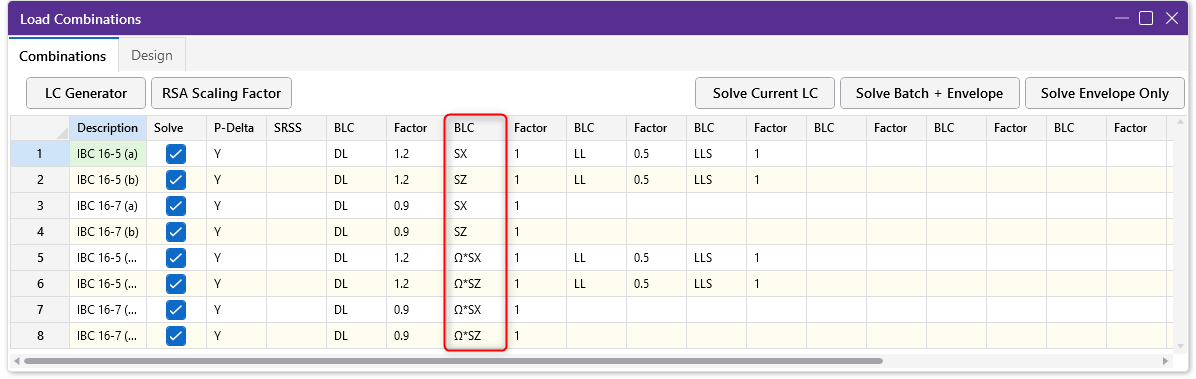
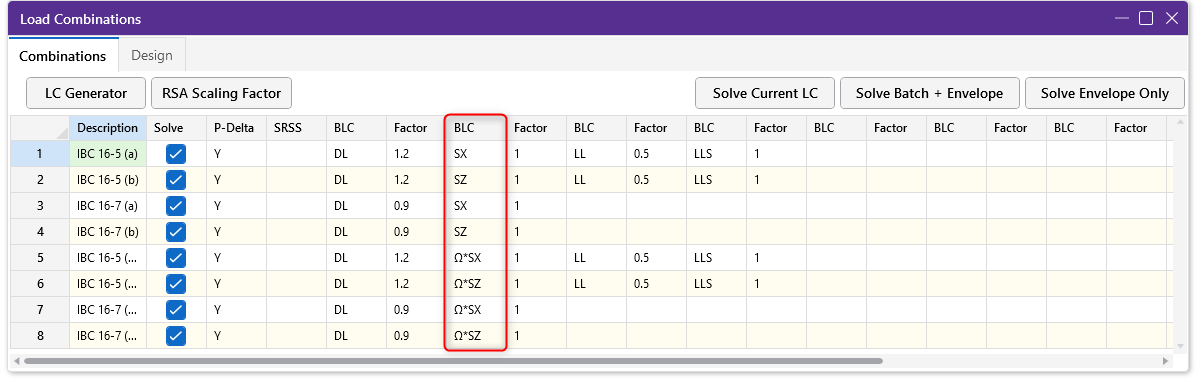
Select Generate and the load combinations from the relevant code and region will appear in the Load Combination spreadsheet with the Response Spectra Results.
RISA-3D has two ways of automatically generating seismic-related Basic...
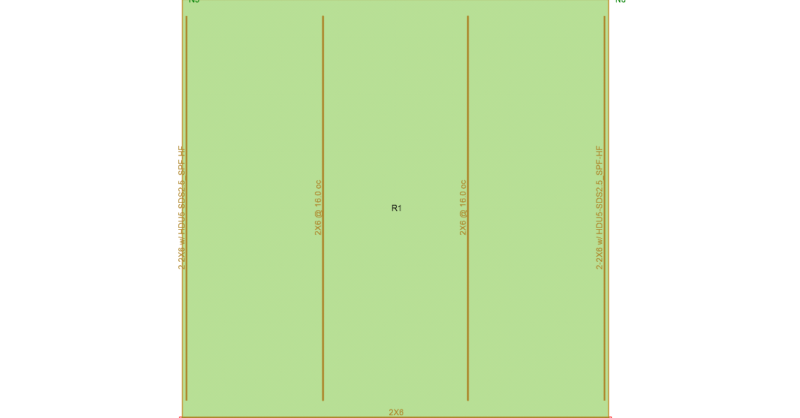
Continuous tiedown systems are used to help resist overturning forces...
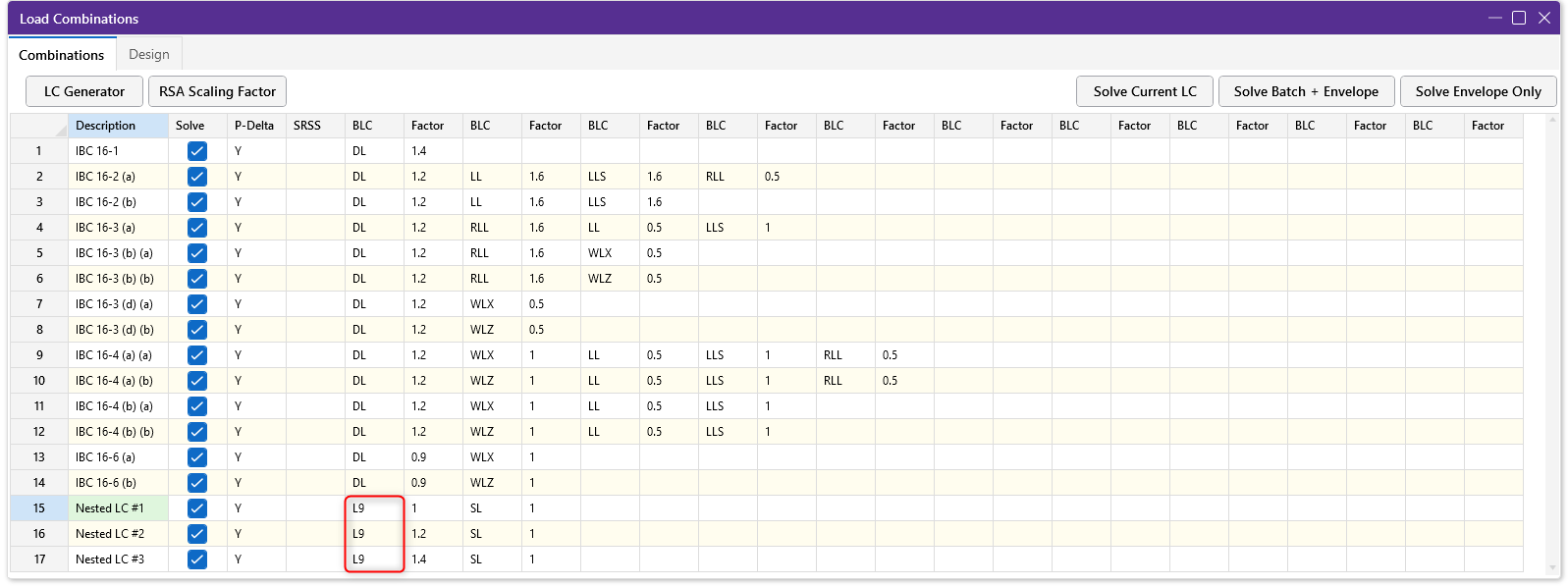
The Load Combinations spreadsheet in RISA-3D is limited to ten columns...